
Your First Web Page
Every website you see on the internet starts with one simple technology: HTML. If you want to become a web developer, learning HTML is your first and most important step.
In this blog, you will learn how to create your first web page using basic HTML and understand how each part works.
What is HTML?
HTML stands for HyperText Markup Language. It is used to structure content on the web.
With HTML, you can:
- Show text
- Add images
- Create links
- Build forms
- Organize content
HTML does not add design or logic. It only tells the browser what to display.
Basic Structure of an HTML Page
Every HTML page follows a simple structure. Here is a basic example:
<!DOCTYPE html>
<html>
  <head>
    <title>My First Page</title>
  </head>

  <body>
    <h1>Hello World</h1>
    <p>This is my first website.</p>
  </body>
</html>
Let's understand each part step by step.
Understanding Each Tag
1. <!DOCTYPE html>
This tells the browser that the document is written in HTML5. It helps the browser display the page correctly.
2. <html> Tag
The <html> tag is the main container of your webpage. All other content stays inside this tag.
3. <head> Section
The <head> section contains information about the page. It is not shown directly on the screen.
Inside <head>, we usually add:
- Page title
- Meta information
- Links to CSS files
Example:
<head>
  <title>My First Page</title>
</head>
4. <title> Tag
The <title> tag sets the name of your webpage. It appears on the browser tab.
Example:
<title>My Website</title>
5. <body> Section
The <body> tag contains everything that appears on the screen.
This is where you write your main content.
6. Heading Tag <h1>
The <h1> tag is used for the main heading.
Example:
<h1>Welcome to My Website</h1>
There are also <h2> to <h6> for smaller headings.
7. Paragraph Tag <p>
The <p> tag is used to write normal text.
Example:
<p>This is a paragraph.</p>
How to Create Your First Web Page
Follow these simple steps:
Step 1: Open a Text Editor
You can use:
- Notepad (For beginnners)
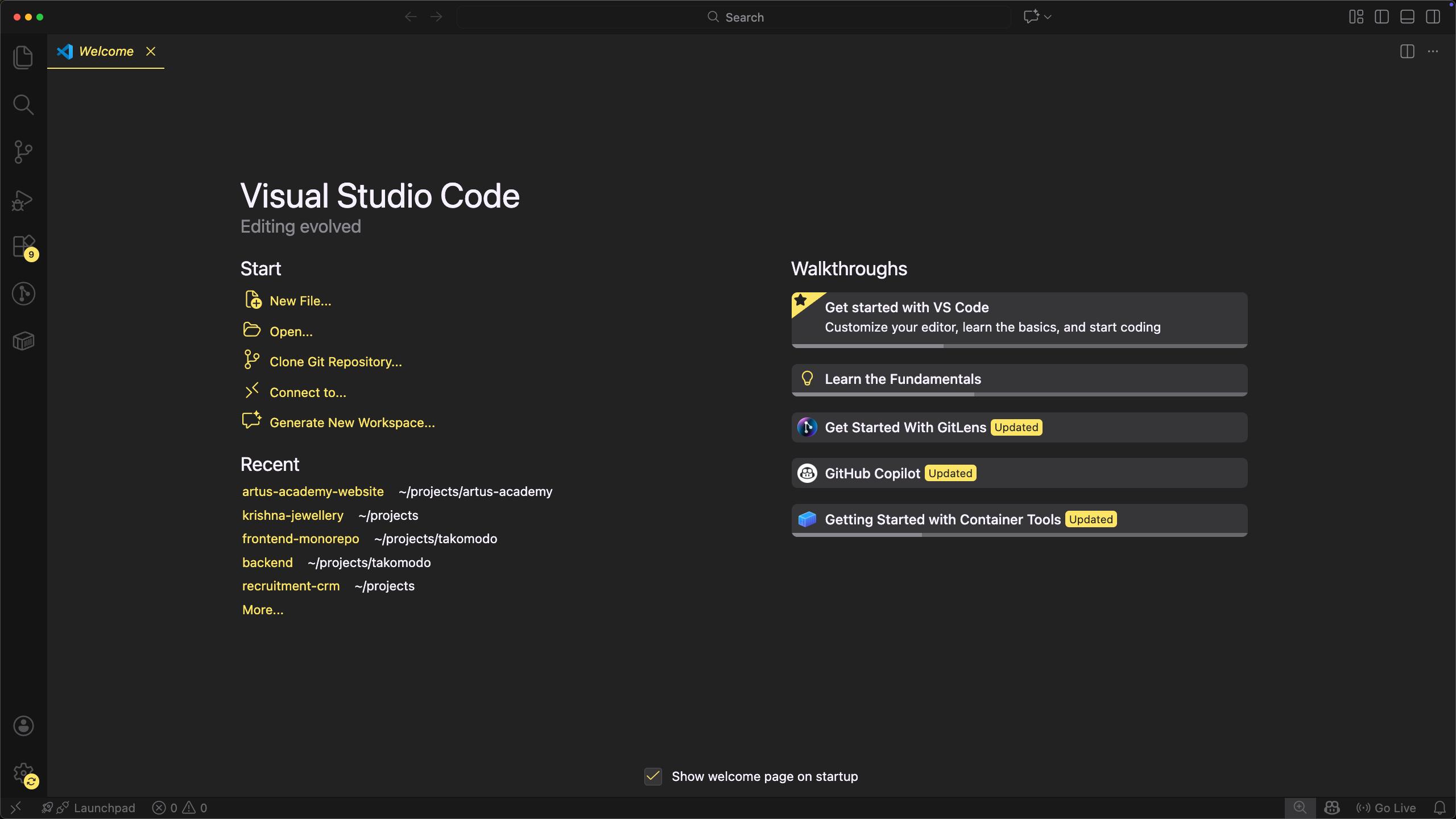
- VS Code (Best for want to be developers) - Download link
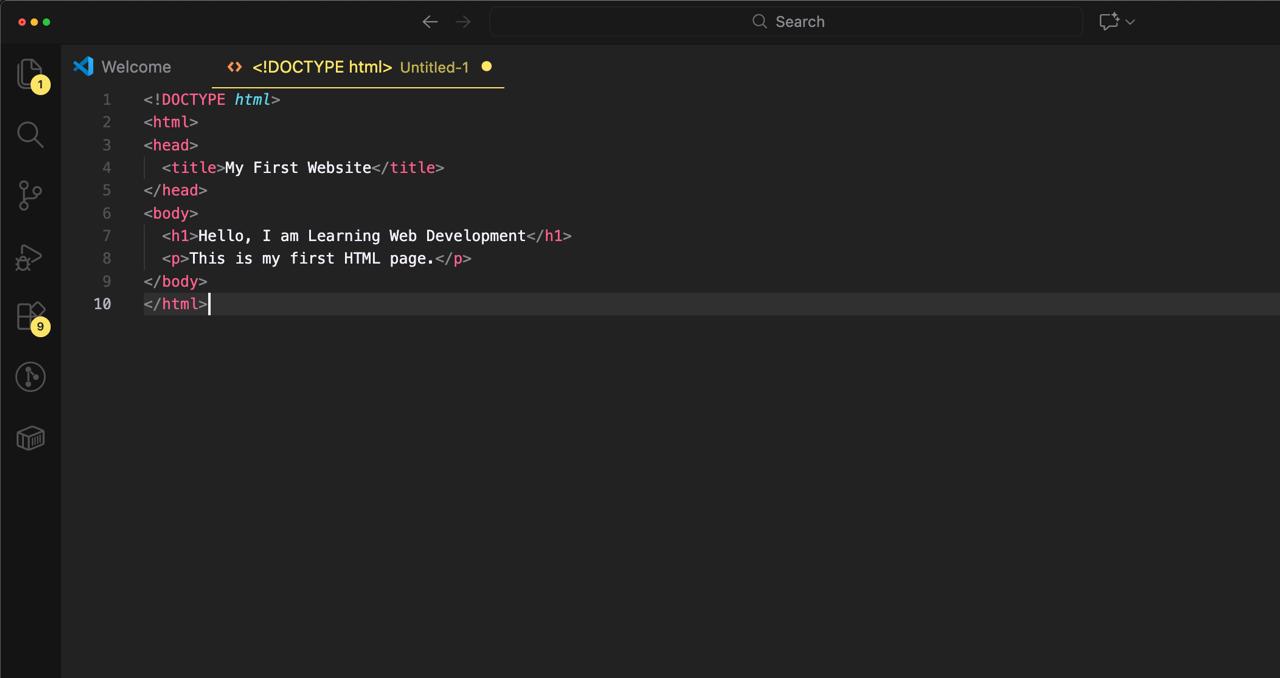
Step 2: Write the HTML Code
Open your text editor, create a file then copy and paste this code:
<!DOCTYPE html>
<html>
<head>
  <title>My First Website</title>
</head>
<body>
  <h1>Hello, I am Learning Web Development</h1>
  <p>This is my first HTML page.</p>
</body>
</html>
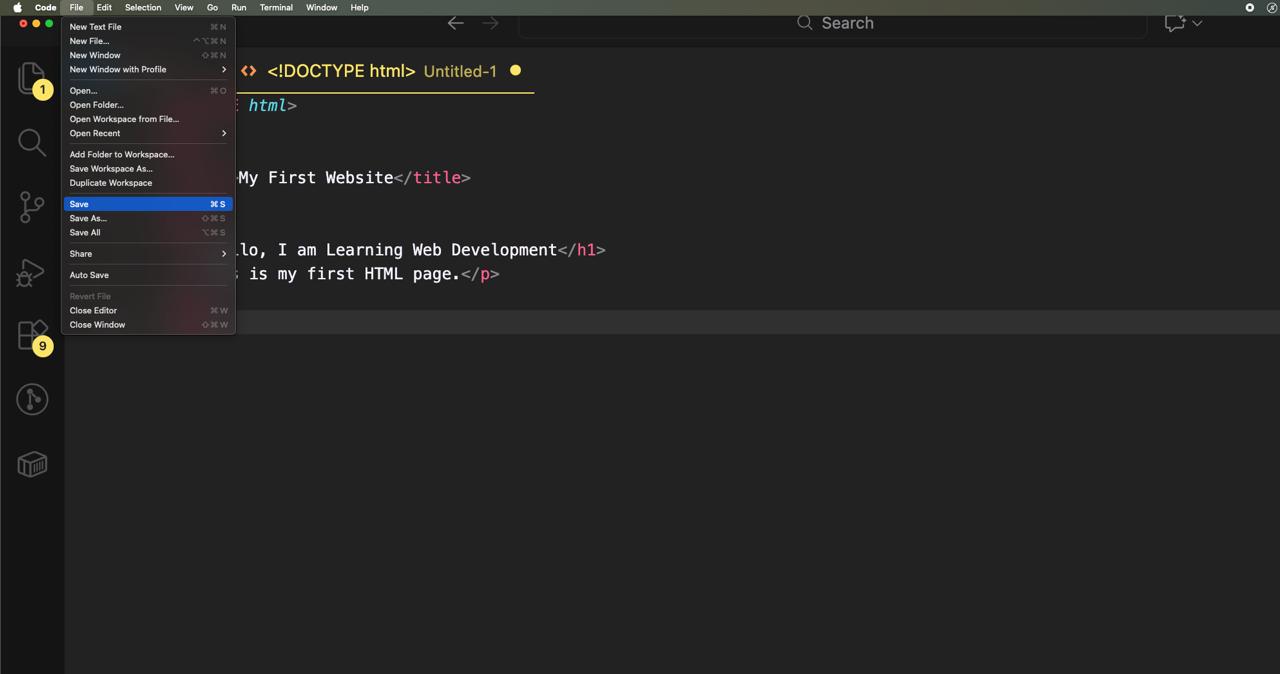
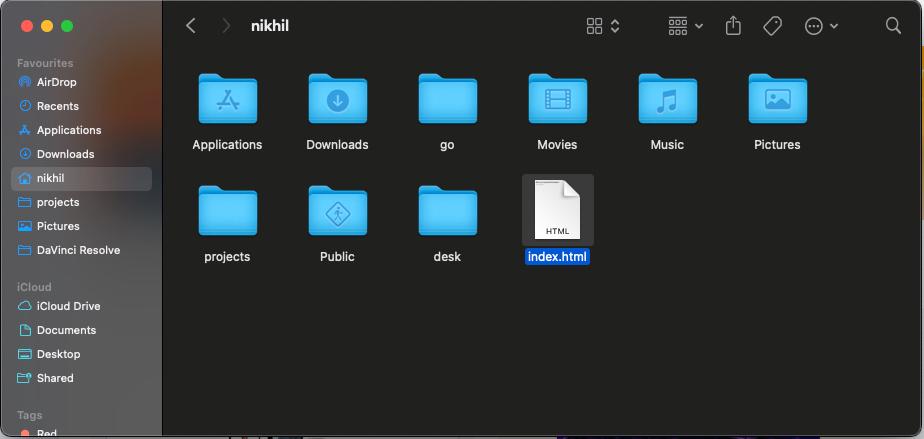
Step 3: Save the File
Save the file as:
index.html
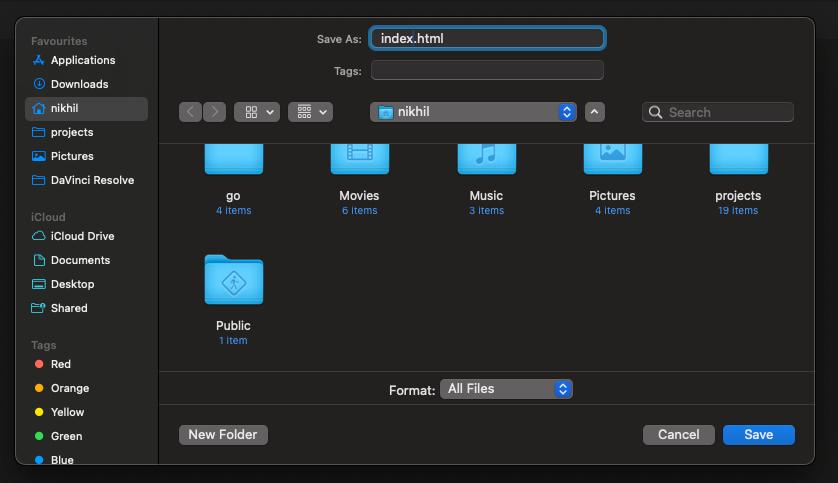
Make sure the extension is .html.
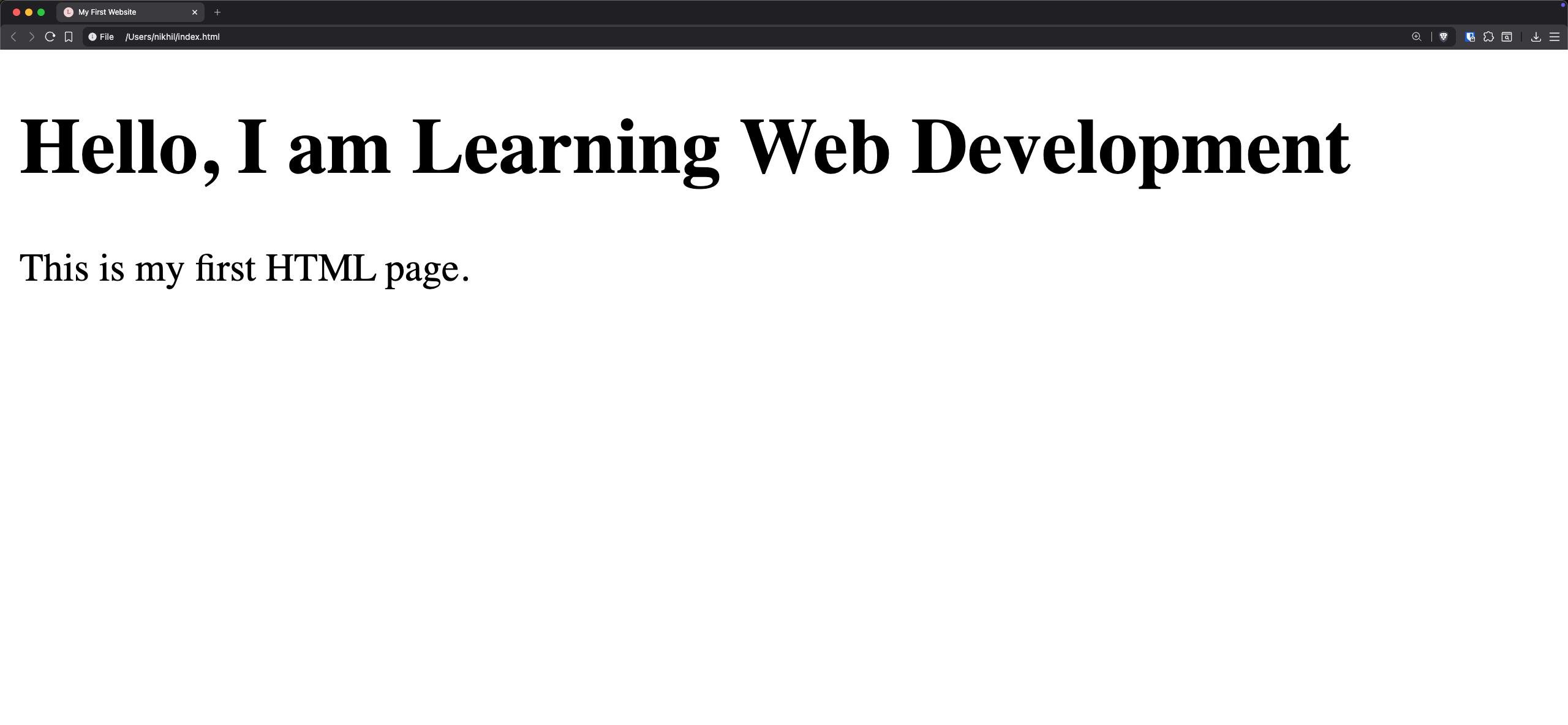
Step 4: Open in Browser
Double-click the file or right-click and open it with any browser (Chrome, Edge, Firefox).
You will see your first website on the screen.
Practice Exercise
Try doing these tasks:
- Change the heading text
- Add your name
- Write a short introduction
- Change the title of the page
Example:
<h1>Hi, I am Nikhil</h1>
<p>I am learning web development at ArtUs Academy.</p>
Common Beginner Mistakes
❌ Forgetting Closing Tags
Wrong:
<p>Hello
Correct:
<p>Hello</p>
❌ Saving Without .html Extension
Always save your file as .html, not .txt.
❌ Writing Code Outside <body>
Visible content must be inside the <body> tag.
Why HTML is Important
Learning HTML helps you:
- Understand how websites work
- Learn CSS and JavaScript easily
- Build React projects faster
- Create real projects
Strong basics = Better developer 🚀
What's Next?
After learning basic HTML, you should move to:
- Links and Images
- Lists and Tables
- Forms
- CSS Styling
- JavaScript Basics
These topics will help you build complete websites.
Conclusion
HTML is the foundation of web development. By learning how to create a simple web page, you have taken your first step toward becoming a developer.
Keep practicing, experimenting, and building small projects. Consistency is the key to success.
Happy Coding! 💻🚀